I've seen cold emailing evolve a lot over the past five to six years. Choosing the right tool now takes more thought as outbound requirements keep evolving.
Today, you need a tool that does more than send emails. It should help you find prospects, personalize emails, run campaigns, and manage follow-ups with less manual work.
You also need to consider a few other things:
Can you run email, LinkedIn, and other channels in the same sequence?
Does the pricing remain affordable as you add mailboxes, users, and contacts?
Can it keep up with evolving outbound requirements and support your outreach strategy as it grows?
To understand what works, I spoke with SDR teams, agencies, and founders about the tools they use and why. I also reviewed product features, pricing pages, documentation, and G2 reviews.
After comparing the options, I shortlisted 10 cold email tools for different needs. This guide covers their features, pricing, and use cases to help you choose the right tool for your outbound strategy.
Use the table of contents to jump to any tool on this list.
Here's a quick look at the 10 best cold email tools, what each one offers, and who should consider using it.
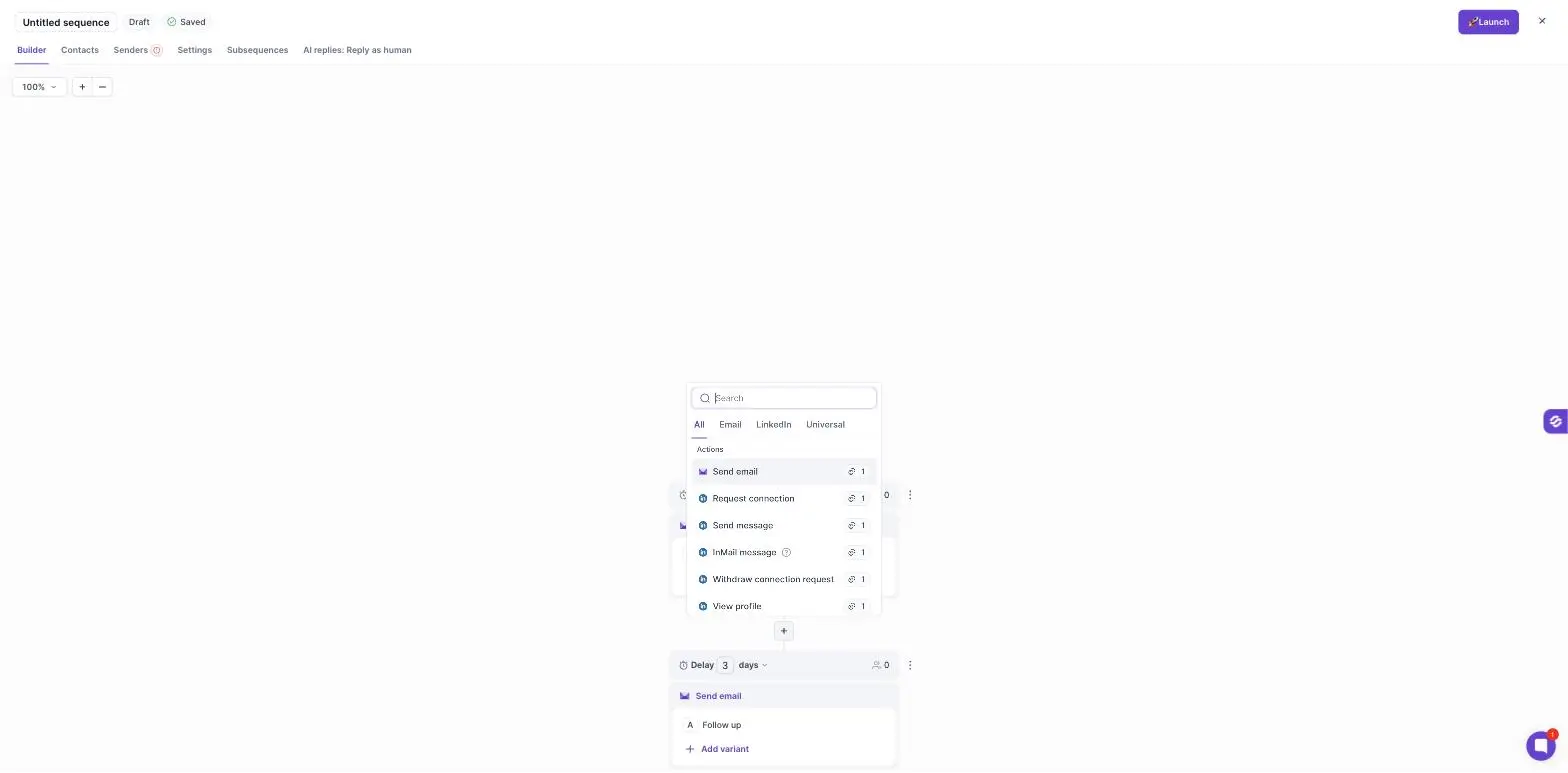
Salesforge: Best for GTM teams and agencies that need multichannel outreach, advanced personalization in 21+ languages, and native LinkedIn actions. It also offers MCP, CLI, and API access, unlimited mailboxes, and free, unlimited warmup through Warmforge.
Lemlist: Best for sales teams that rely on personalized outreach. You can add personalized images, videos, and landing pages to your campaigns.
Instantly: Best for founders and agencies running high-volume cold email campaigns. Every plan includes unlimited email accounts and built-in warmup.
Smartlead: Best for agencies managing multiple client campaigns. It offers white-label options and an official MCP server.
Apollo: Best for teams that need prospect data and email outreach in one platform. Its free plan includes two sequences and 900 credits per year.
Reply.io: Best for sales teams that use multiple channels to reach prospects. Its Multichannel plan combines email, LinkedIn, calls, and SMS in one sequence.
Woodpecker: Best for small teams with changing outreach volumes. It charges based on contacted prospects and includes unlimited mailboxes and users.
Snov.io: Best for small and mid-sized businesses that need email finding, verification, and outreach in one platform. Paid plans start at $29.25/month with annual billing.
Mailshake: Best for small sales teams starting with cold email. It offers simple campaign management, with a phone dialer available on the Sales Engagement plan.
Saleshandy: Best for budget-conscious teams and agencies managing multiple sending accounts. Every plan includes unlimited email accounts and lead finder credits.
A Quick Comparison of 10 Cold Email Tools
Here's how these 10 cold email platforms and cold outreach tools compare on pricing and outreach features.
Invites, profile visits, messages, InMails, and voice notes
None
No native LinkedIn steps
None
Nine actions, including InMails and AI voice notes ($69/month)
Profile visits, invites, messages, and InMails ($29/month)
Invites, messages, InMails, likes, and follows ($69/month)
LinkedIn steps on Sales Engagement
Through integrations
AI SDR
Agent Frank, from $499/month
lemAgent campaign builder
AI Sales Agent and AI Reply Agent
SmartAgents workflows
AI Assistant
Jason AI SDR, from $500/month
No
AI Assistant
SHAKEspeare AI writer
AI Sequence Copilot
Integrations
HubSpot, Pipedrive, Zapier, Make, Clay, Slack
HubSpot, Salesforce, Pipedrive, Zapier, Make, n8n
HubSpot, Pipedrive, Clay, Zapier
HubSpot, Pipedrive, Clay, Zapier, Make
Salesforce and HubSpot two-way sync
Salesforce, HubSpot, Pipedrive, Zapier, Make, n8n
HubSpot, Pipedrive, Zapier ($20/month add-on)
HubSpot, Pipedrive, Calendly, Zapier, Make
Salesforce, HubSpot, Pipedrive, Zapier
HubSpot, Salesforce, Zoho, Pipedrive, Zapier
Lead database
Through Leadsforge
Built in
SuperSearch plan
SmartProspect
Built in
Built in
Lead Finder credits
Built in
$19/month add-on
Built in
Free trial
14 days
14 days
14 days
14 days
Free plan
14 days
14 days
Free plan
None
7 days
API, MCP, and CLI
API, MCP, and CLI
API and MCP
API and MCP
API and MCP
API and MCP
API, MCP, and CLI
API, MCP, and CLI
API and MCP
API
API and MCP
Why Should You Trust Our Cold Email Tools List?
I compared all 10 tools using the same six criteria:
Sending and mailbox management: How many mailboxes can you connect? Does the tool support sender rotation, inbox rotation, and multiple sending accounts?
Deliverability: Does it offer email warmup, verification, and inbox placement testing? Are these features included in the plan or charged separately?
Automation: Can it automate prospecting, email personalization, campaign setup, follow-ups, and other outbound tasks? How much work still requires manual input?
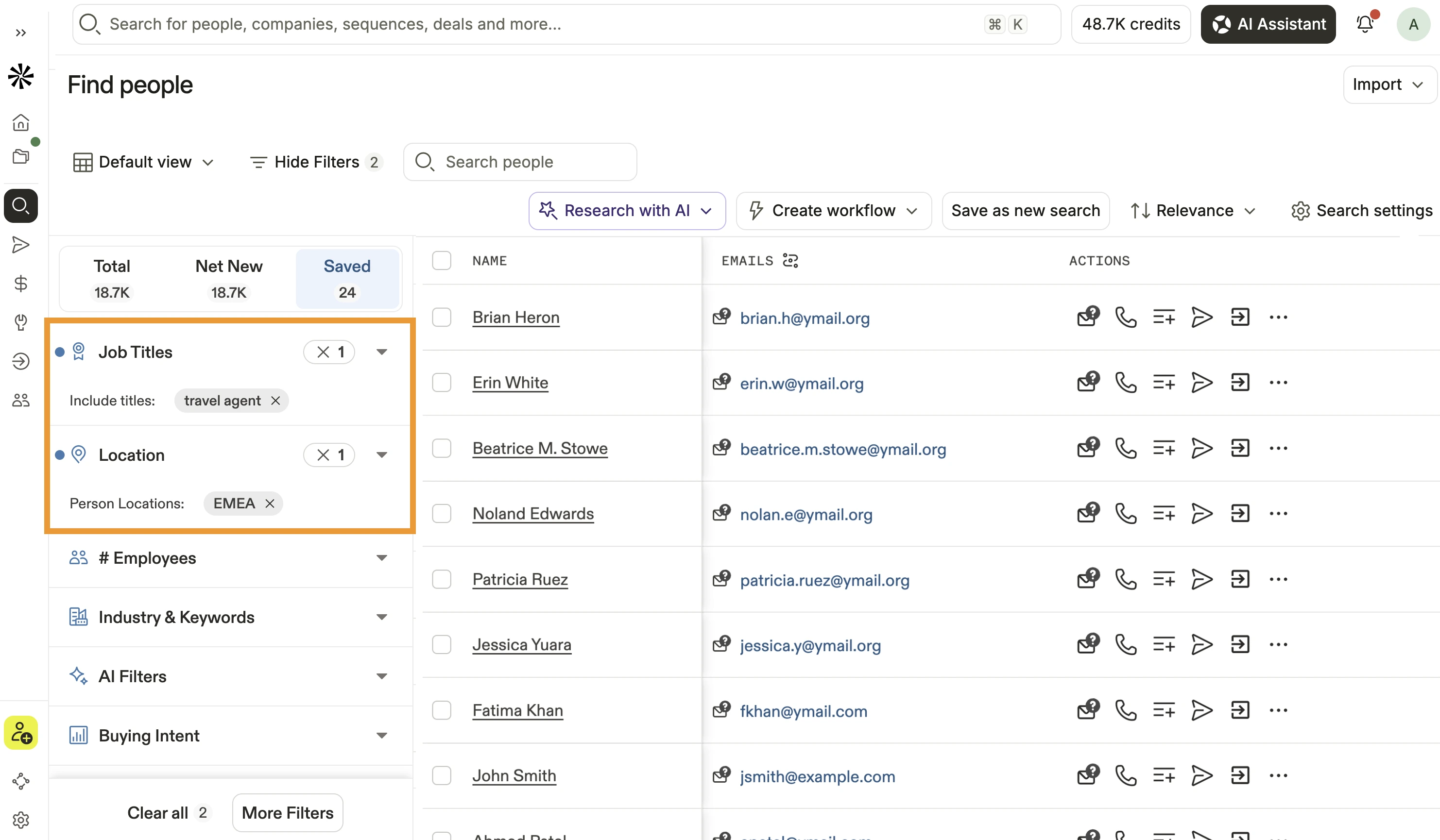
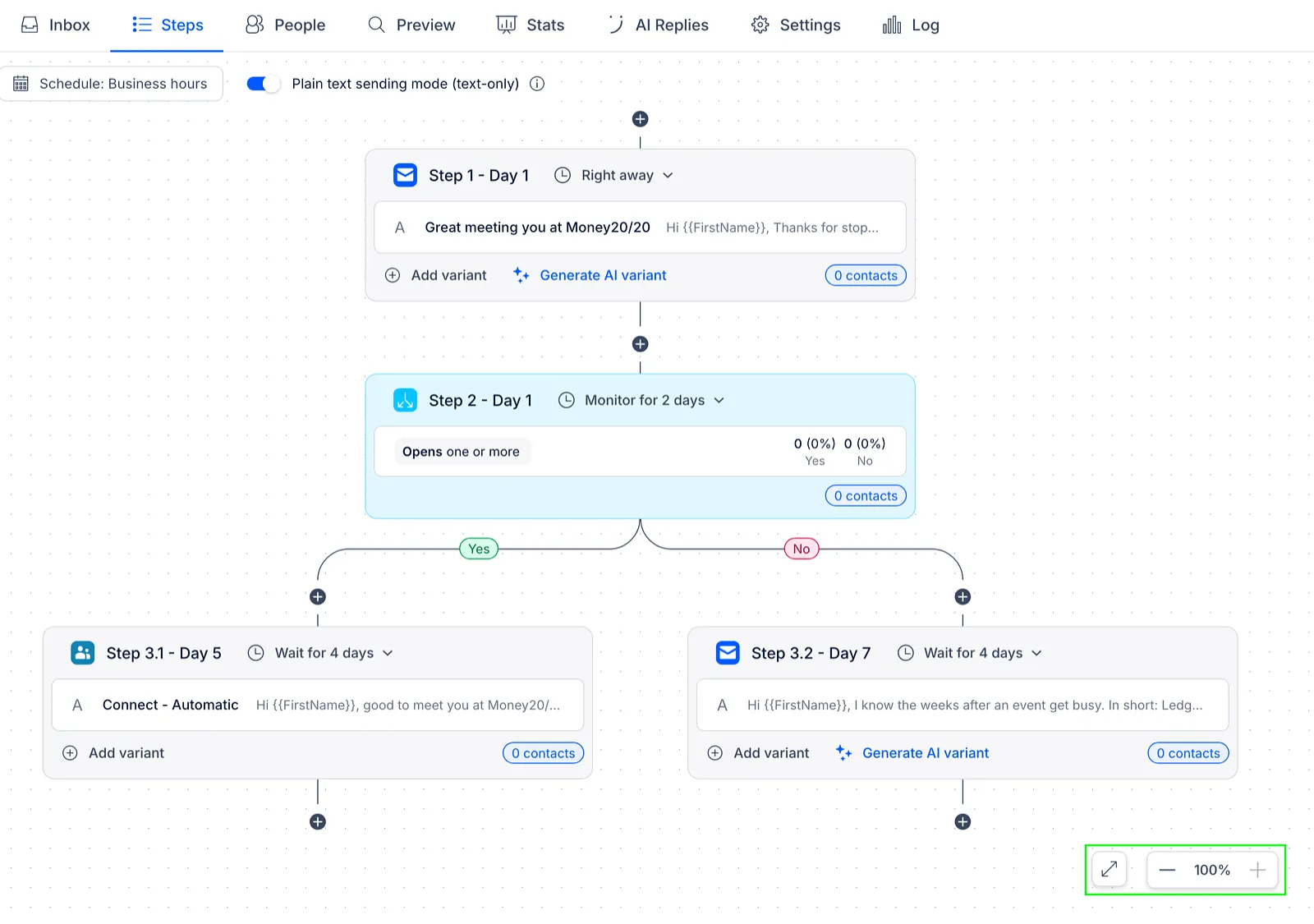
Multichannel outreach: Can you combine email, LinkedIn, and calls in one sequence? Can you set conditions to change the next step based on a prospect's response?
Data and integrations: Does it include a lead database? Can you connect your CRM and other tools through integrations, APIs, or MCP?
Pricing and scalability: What do you get with the entry-level plan? How does the cost change when you add mailboxes, users, contacts, and paid features?
I reviewed each tool's official pricing page and product documentation. I also checked G2 reviews to understand common user feedback, recurring complaints, and limitations.
10 Best Cold Email Tools: An In-Depth Review After 30 Days
Below, I break down each cold email software by who should use it, what it costs, and what reviewers say.
1. Salesforge
Best for: GTM teams and agencies that want to run cold email and LinkedIn outreach in one sequence and manage all replies from one inbox.
Pricing: Starts at $40/month with annual billing.
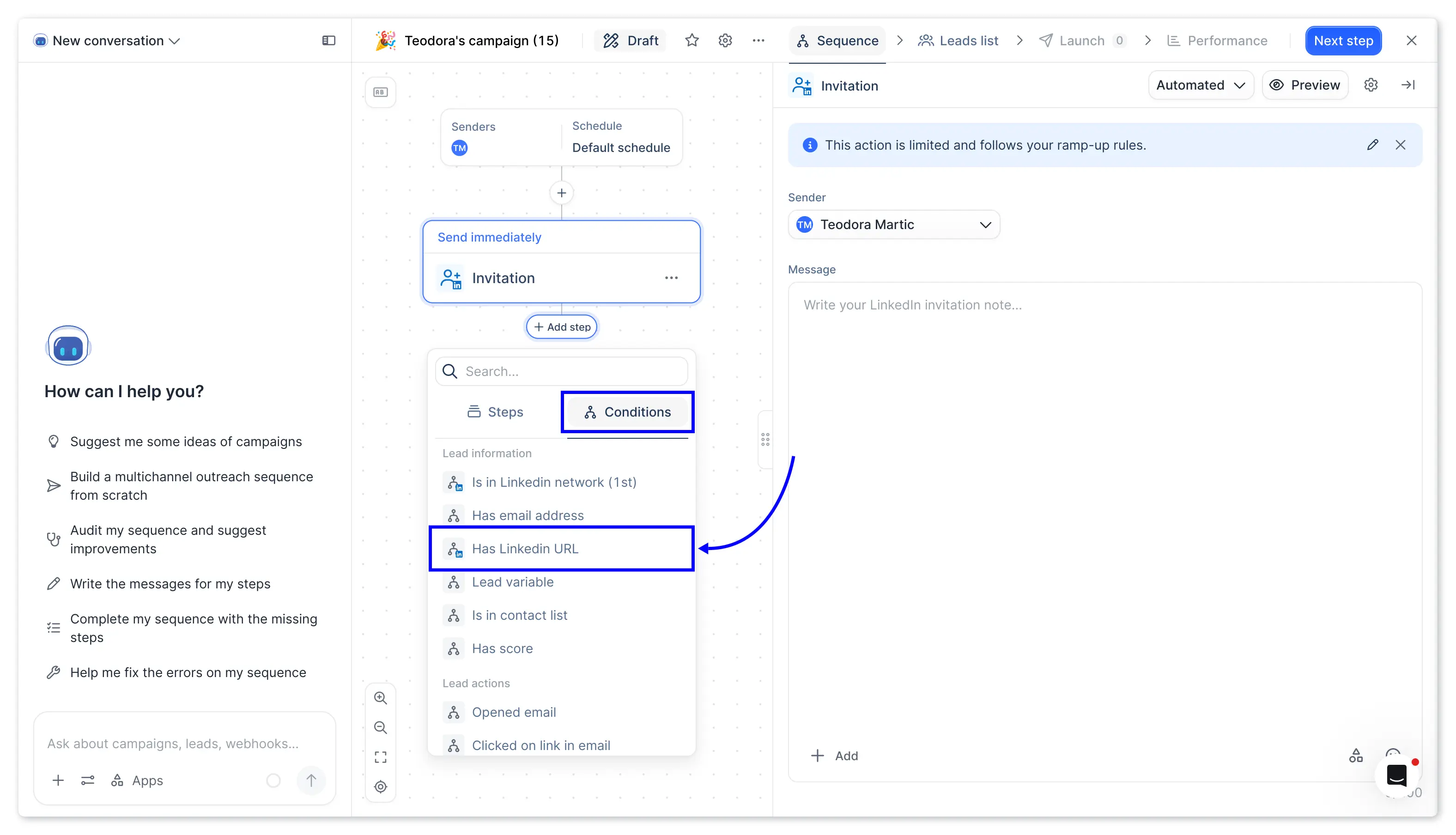
Most liked feature: Salesforge combines email and LinkedIn steps with if/then logic. If a prospect doesn't accept a connection request, the sequence can move to email.
Salesforge combines email and LinkedIn campaigns in one workflow. It also brings all replies into a single inbox called Primebox™. I find it useful for GTM teams and agencies that want to manage both channels without running separate campaigns.
Its dynamic scheduling feature, available on the Growth plan, sends emails according to each prospect's local time. You can reach prospects across different time zones during their working hours.
I also like the Chrome extension. It imports leads from LinkedIn Sales Navigator searches in the background, so you can add them to a sequence without exporting a CSV.
Salesforge also offers MCP, CLI, and API access. You can connect it with external tools, AI assistants, and custom workflows to manage your outreach.
Read our Salesforge review for more details about its features and pricing.
Key Features
Unlimited mailboxes: Connect as many mailboxes and senders as you need on every plan.
Multichannel sequences: Combine email and LinkedIn steps in one sequence with if/then branching.
Native LinkedIn actions: Send connection requests, messages, InMails, post likes, follows, and withdraw requests.
LinkedIn voice notes: Send one recorded voice note to all leads or an AI-generated note for each lead.
Dynamic scheduling: Send emails at each prospect's local time on the Growth plan.
Sales Navigator import: Import leads from Sales Navigator searches with optional email and phone finding.
Cookie-based LinkedIn connection: Connect LinkedIn accounts with browser cookies instead of a password or verification code.
Free unlimited warmup: Warm up every connected mailbox through Warmforge at no extra cost.
AI personalization in 21+ languages: Personalize emails and LinkedIn messages using company news, LinkedIn activity, and industry context.
Deliverability protection: Use sender rotation, Bounce Shield, and email validation to protect your sender reputation.
Primebox™ with Auto-Pilot and Co-Pilot: Manage all email and LinkedIn replies from one inbox, with AI handling or drafting responses.
API, MCP, and CLI: Connect Salesforge with external tools, custom workflows, and AI agents.
Agent Frank: Hire an AI SDR to prospect, write emails, follow up, and book meetings.
Pricing
Pro: $48 per month with monthly billing, or $40 with annual billing, for 1 user, 1 LinkedIn account, 1,000 contacts, and 5,000 emails a month.
Growth: $96 per month with monthly billing, or $80 with annual billing, for unlimited users, multiple LinkedIn accounts, 10,000 contacts, and 50,000 emails a month.
Agent Frank: From $499 per month, billed quarterly.
Free trial: 14-day free trial with no credit card required.
Reviews
G2 rating: 4.6/5 from 170+ reviews.
Reviewers appreciate Salesforge's multichannel outreach, ease of use, and automation. They also mention a learning curve when they first start using the platform.
2. Lemlist
Best for: Sales teams that want every cold email to look made for one person.
Pricing: Starts at $55 per month with annual billing.
Most liked feature: Lemlist lets me add personalized images, videos, and landing pages to my emails. Each prospect sees content with their own name or company in it.
If personalization is how you win replies, Lemlist gives you more creative options than other cold email platforms on this list. I find it useful for sales teams that run smaller, personalized email sequences.
I can build a campaign with lemAgent, Lemlist's AI campaign builder. It drafts the sequence for me, so I spend less time writing each step.
I also like its Multichannel plan, which adds LinkedIn steps, calls, SMS, and WhatsApp to the same sequence. I can reach a prospect on more than one channel without a second tool.
However, the Multichannel plan is priced per user, so the cost grows as your team grows. LinkedIn steps aren't included on the Email plan.
You can read our Lemlist review for a closer look at its features and pricing.
Key Features
Personalized images and videos: Add images and videos that include each prospect's name or company.
lemAgent: Build campaigns through Lemlist's AI campaign builder.
Signal Agents: Find prospects who show buying intent signals.
Lead database: Search for contacts and add them directly to campaigns.
Lemwarm: Warm up mailboxes with the warmup tool included in every paid plan.
Multichannel sequences: Add LinkedIn, calls, SMS, WhatsApp, and voice messages on the Multichannel plan.
API and MCP: Connect Lemlist with external tools, custom workflows, and AI agents.
Pricing
Email: $69 per month with monthly billing, or $55 with annual billing, for the whole workspace with unlimited users and 50,000 emails a month.
Multichannel: $109 per user per month, or $87 with annual billing.
Data plans: Paid add-ons for enrichment and buying-intent data.
Enterprise: Custom pricing. You can contact its sales team for a quote.
Free trial: 14-day free trial.
If you're comparing other options, these Lemlist alternatives explain how similar tools differ.
Reviews
G2 rating: 4.6/5 from 2,500+ reviews.
Reviewers appreciate Lemlist's ease of use and its LinkedIn features. The main complaint is the reliability of its Chrome extension.
3. Instantly
Best for: Founders and agencies that send at high volume from many mailboxes.
Pricing: Starts at $37.60 per month with annual billing.
Most liked feature: Instantly connects unlimited email accounts on every plan, with warmup included. I can add new mailboxes without my price going up.
Instantly is a cold email sender for high-volume campaigns across many mailboxes. I find it useful for founders and agencies that need to scale bulk cold email quickly.
I'd use Copilot, Instantly's AI assistant, to build campaigns and automations from a plain-language prompt. That saves me from setting up each step by hand.
I also like its AI Reply Agent, which answers interested prospects and books meetings. I can let it reply on its own or approve each draft first.
However, replying from Unibox, webhooks, and the AI Deliverability Agent need the Hypergrowth plan. AI agents also run on Instantly Credits, which is a separate subscription.
You can read our Instantly review for a closer look at its features and pricing.
Key Features
Unlimited email accounts: Connect as many mailboxes as you need on every plan.
Unlimited warmup: Warm up every connected email account at no extra cost.
Copilot: Build campaigns, sequences, and automations from plain-language prompts.
AI Reply Agent: Reply to interested prospects and book meetings, with or without your approval.
AI Deliverability Agent: Find and fix deliverability problems on the Hypergrowth plan.
SuperSearch: Find prospects in Instantly's lead database through a separate plan.
API and MCP: Connect Instantly with external tools, custom workflows, and AI agents.
Pricing
Growth: $47 per month with monthly billing, or $37.60 with annual billing.
Hypergrowth: $107 per month, or $85.58 with annual billing.
Light Speed: $358 per month, or $286.30 with annual billing.
Instantly Credits: A separate subscription for SuperSearch and AI agents. The AI Reply Agent uses 5 credits per reply.
Free trial: 14-day free trial.
If you're comparing other options, these Instantly alternatives explain how similar tools differ.
Reviews
G2 rating: 4.8/5 from 4,100+ reviews.
Reviewers appreciate Instantly's ease of use, automation, and the ability to manage many email accounts from one dashboard. They also say the platform can feel confusing once you move past basic campaigns.
4. Smartlead
Best for: Agencies managing cold email campaigns for multiple clients from one platform.
Pricing: Starts at $32/month with annual billing.
Most liked feature: Smartlead's SmartAgents automate workflows from plain-language prompts, including lead routing, data syncing, and alerts.
Smartlead offers unlimited mailboxes and client-level controls to manage campaigns for different clients. I find it useful for agencies that need to keep client accounts and campaigns organized.
You can also use SmartDelivery to test inbox placement before launching campaigns. It shows where your emails land and helps you spot deliverability issues.
Another useful feature is its official MCP server, which offers more than 116 tools, according to Smartlead. You can connect it to Claude to manage campaigns, email accounts, and deliverability checks.
However, white-label access costs $29 per client workspace, and the premium warmup pool costs $59/month on plans below Smart. API and webhook access starts with the Pro plan.
Read our Smartlead review for more details about its features and pricing.
Key Features
Unlimited mailboxes: Connect as many email accounts as you need on every plan.
Auto-rotation: Spread sending across mailboxes automatically to protect your sender reputation.
SmartAgents: Run no-code AI workflows from plain-language prompts.
SmartDelivery: Test inbox placement before you launch a campaign.
SmartProspect: Find B2B contacts in Smartlead's lead database.
SmartDialer: Call prospects from the master inbox with AI-generated call notes.
White-label options: Run Smartlead under your own brand for client campaigns.
API and MCP: Connect Smartlead with external tools, custom workflows, and AI agents.
Pricing
Base: $39 per month with monthly billing, or $32 with annual billing, for 2,000 contacts and 6,000 emails a month.
Pro: $94 per month, or $78 with annual billing.
Unlimited Smart: $174 per month, or $144 with annual billing.
Unlimited Prime: $379 per month, or $315 with annual billing.
Add-ons: White-label at $29 per client workspace and SmartDelivery from $49 per month.
Free trial: 14-day free trial with no credit card required.
If you're comparing other options, these Smartlead alternatives explain how similar tools differ.
Reviews
G2 rating: 4.5/5 from 450+ reviews.
Reviewers appreciate Smartlead's ease of use and helpful support. They also report slow support at times and occasional warmup issues.
5. Apollo
Best for: Sales teams that want to find contacts and email them from one tool.
Pricing: Starts at $49 per seat per month with annual billing, and a free plan is available.
Most liked feature: Apollo combines a large B2B contact database with email sequences. I can find a prospect, verify the email, and add them to a sequence without exporting a list.
Apollo is a B2B sales platform that combines contact data with cold email outreach. I find it useful for teams that need prospect data and sequences in the same place.
Its AI Assistant, launched in March 2026, builds lists and drafts outreach from a chat. I can describe the prospects I want and get a list to review in fewer steps.
I also like its official MCP server, which works with Claude, ChatGPT, and Perplexity. I can use it to search contacts and add them to sequences without opening Apollo.
However, Free and Basic plans allow one mailbox per user, so sending volume is limited. Reviews say Apollo replaced its warmup pool with Inbox Ramp Up, which only paces sending volume.
You can read our Apollo review for a closer look at its features and pricing.
Key Features
B2B contact database: Search contacts and companies using detailed filters.
Email sequences: Create automated email sequences with follow-ups from the same account.
AI Assistant: Build prospect lists and draft outreach through chat-based commands.
Chrome extension: Find contact details while browsing LinkedIn and company websites.
CRM integrations: Sync contacts and activity with Salesforce, HubSpot, and other CRMs.
API and MCP: Connect Apollo with external tools, custom workflows, and AI assistants.
Pricing
Free: $0, with 900 credits a year and 2 sequences.
Basic: $65 per seat per month with monthly billing, or $49 with annual billing.
Professional: $99 per seat per month, or $79 with annual billing.
Organization: $119 per seat per month with annual billing only, with a 3-seat minimum.
Free trial: No separate trial. You can start on the free plan.
If you're comparing other options, these Apollo alternatives explain how similar tools differ.
Reviews
G2 rating: 4.7/5 from 9,800+ reviews.
Reviewers appreciate how Apollo speeds up prospecting and saves time on outreach. The main complaints are inaccurate contact data and a steep learning curve.
6. Reply.io
Best for: Sales teams that combine email with LinkedIn, calls, and SMS in one sequence.
Pricing: Starts at $49 per month with annual billing.
Most liked feature: Reply.io's Multichannel plan adds LinkedIn steps, calls, and SMS to my email sequences. I can reach a prospect on every channel from one place.
If your reps call as well as email, Reply.io covers more cold outreach channels than other tools on this list, including SMS. I find it useful for sales teams that run a full outbound process.
The Email Volume plan includes unlimited mailboxes and warmups, priced by active contacts. That makes it a good fit when I want to send email first and add channels later.
I also like Jason AI, Reply.io's AI SDR, which can find leads, write emails, and handle replies. I can use it to take routine conversations off my plate.
However, the Multichannel plan is priced per user and includes 5 mailboxes per user. Jason AI SDR is a separate plan that starts at $500 a month.
Multichannel sequences: Combine email, LinkedIn, calls, and SMS steps in one sequence.
Unlimited mailboxes: Connect as many mailboxes as you need on the Email Volume plan.
Email warmup: Warm up mailboxes through Reply.io's Mailtoaster.ai integration.
Jason AI SDR: Use an AI SDR to find leads, write emails, and handle replies.
B2B data: Find prospect contacts and add them directly to sequences.
API, MCP, and CLI: Run outbound from Claude, Cursor, external tools, or your terminal.
Pricing
Email Volume: $59 per month with monthly billing, or $49 with annual billing, for 1,000 active contacts.
Multichannel: $99 per user per month, or $89 with annual billing.
Jason AI SDR: From $500 per month.
Agency: From $166 per month.
Free trial: 14-day free trial.
Reviews
G2 rating: 4.6/5 from 1,500+ reviews.
Reviewers appreciate Reply.io's support and how well it meets their business needs. They also rate it harder to set up than simpler tools like Snov.io.
7. Woodpecker
Best for: Small teams whose sending volume changes from month to month.
Pricing: Starts at $280 per year with annual billing.
Most liked feature: Woodpecker prices plans by contacted prospects. I pay for the people I actually reach, and I can connect unlimited mailboxes and team members.
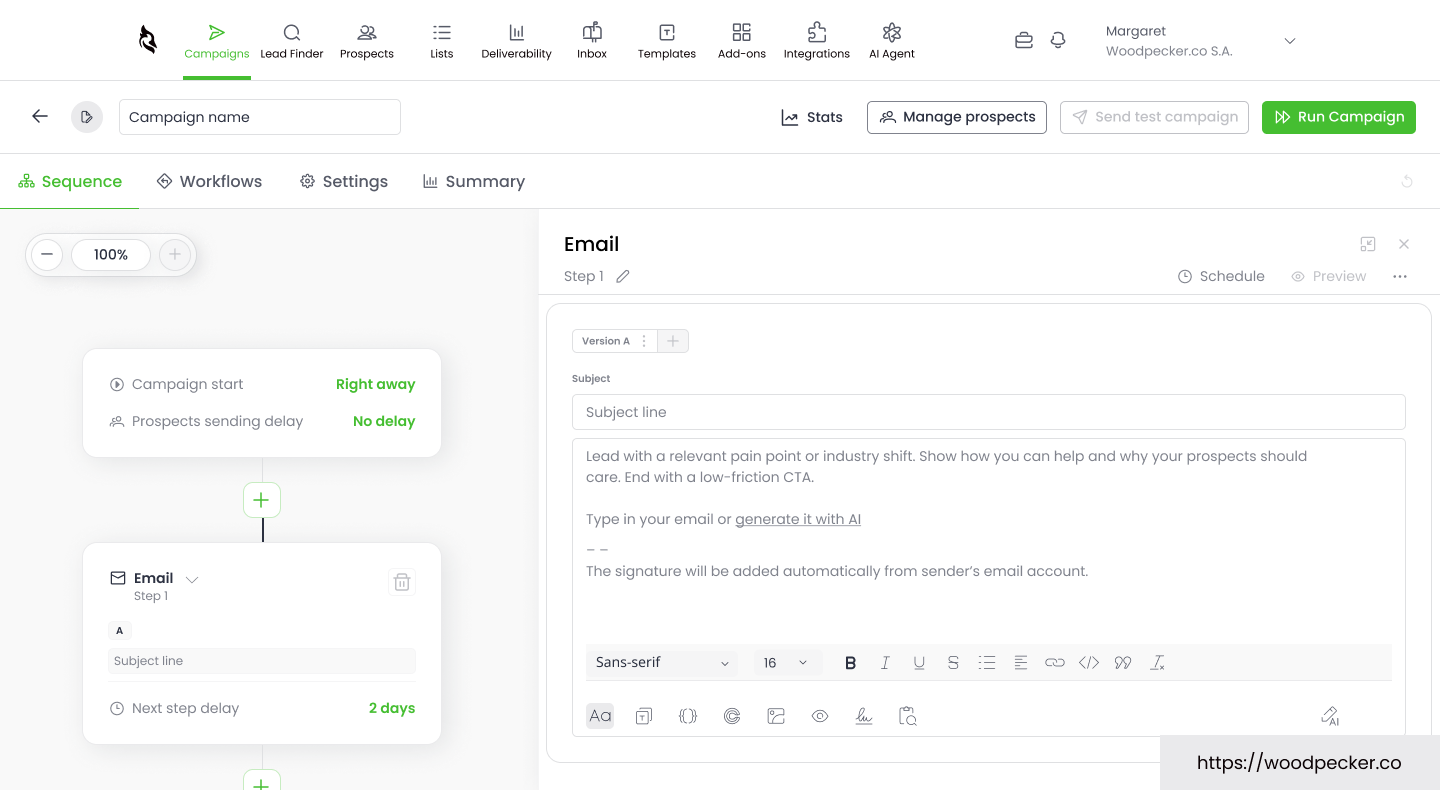
Woodpecker is cold emailing software with usage-based pricing. I find it useful for small teams that don't send the same volume every month.
I'd use adaptive sending, which adjusts how fast each mailbox sends. That helps keep my mailboxes healthy as my volume changes.
I also like its developer tools, which now include a CLI and a hosted MCP server. I can use them to manage campaigns from Claude, ChatGPT, or my terminal.
However, LinkedIn steps cost $29 a month for each connected account. Integrations and the agency panel are also sold as add-ons.
You can read our Woodpecker review for a closer look at its features and pricing.
Key Features
Usage-based pricing: Pay based on the number of prospects you contact each month.
Unlimited mailboxes and users: Connect every mailbox and team member at no extra cost.
Email verification: Verify catch-all addresses for free before you send.
Adaptive sending: Adjust the sending speed of each mailbox to protect deliverability.
LinkedIn steps: Add profile visits, connection requests, messages, and InMails for $29/month per account.
Domains and mailboxes: Buy domains with SPF, DKIM, and DMARC already set up.
API, MCP, and CLI: Connect Woodpecker with external tools, custom workflows, and AI agents.
Pricing
500 contacted prospects: $35 per month with monthly billing, or $280 per year, with up to 8,000 emails a month and 2 free warmups.
2,000 contacted prospects: $67 per month with monthly billing.
Larger plans: Prices rise with the number of contacted prospects.
Free trial: 14-day free trial with no credit card required.
If you're comparing other options, these Woodpecker alternatives explain how similar tools differ.
Reviews
G2 rating: 4.5/5 from 100+ reviews.
Reviewers appreciate Woodpecker's ease of use, simple interface, and support. The main complaints are pricing complexity and limited integrations.
8. Snov.io
Best for: SMBs that want to find, verify, and contact leads from one platform.
Pricing: Starts at $29.25/month with annual billing. A free plan is also available.
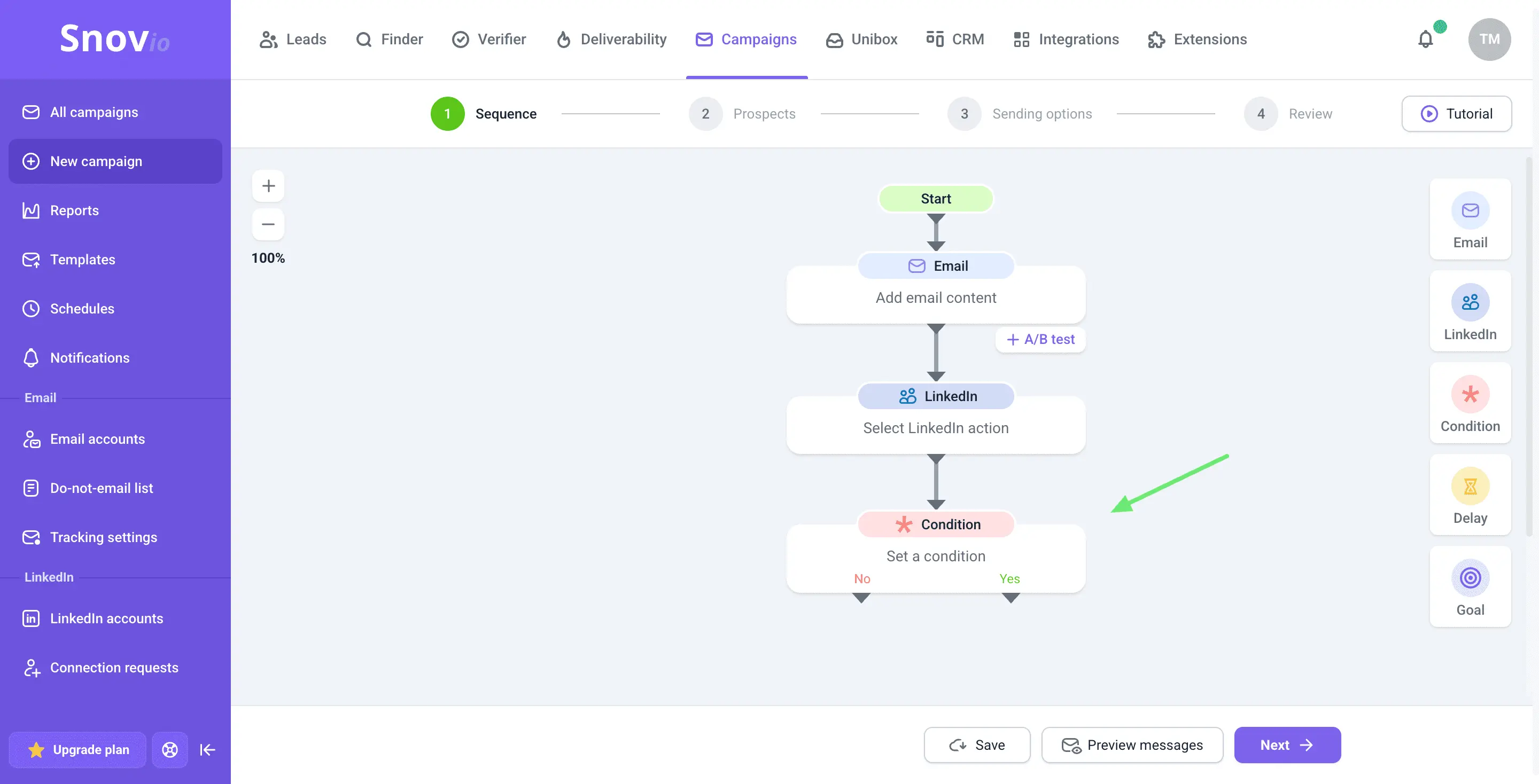
Most liked feature: Snov.io combines an email finder, verifier, and cold email campaign builder. You can find prospect emails, verify them, and add contacts to campaigns from the same account.
Snov.io gives you the tools to manage lead generation and cold email outreach in one place. I find it useful for SMBs that want to avoid paying for separate tools to find and contact prospects.
It also includes email warmup. The Starter plan offers three warmup slots, while the Pro plan includes unlimited slots. You can warm up your mailboxes without buying a separate tool.
Another useful feature is its MCP server, launched in July 2026. You can use it with Claude or ChatGPT to search for leads, verify email addresses, and manage campaigns.
However, LinkedIn automation costs extra. Each slot costs $69/month. Snov.io also has separate credit and recipient limits, so check both before choosing a plan.
If you want to compare similar platforms, read our guide to Snov.io alternatives.
Key Features
Email finder: Find prospect email addresses through Snov.io's database and LinkedIn.
Email verifier: Verify email addresses before adding them to campaigns.
Drip campaigns: Create automated email sequences with personalized messages and follow-ups.
Email warmup: Warm up mailboxes using the slots included in each plan.
AI Assistant: Find leads and manage campaigns through chat-based commands.
Sales CRM: Manage deals, track conversations, and monitor sales activities.
API and MCP: Connect Snov.io with external tools, custom workflows, and AI assistants.
Pricing
Free: 50 credits, 100 recipients, and 1 warmup slot.
Starter: $39 per month with monthly billing, or $29.25 with annual billing.
Pro S: $99 per month, or $74.25 with annual billing.
LinkedIn automation: $69 per slot per month, or $62 with annual billing.
Free trial: No separate trial. You can start on the free plan.
Reviews
G2 rating: 4.5/5 from 490+ reviews.
Reviewers appreciate Snov.io's accurate email finder and lead generation features. The main complaints are missing integrations and expensive add-ons.
9. Mailshake
Best for: Small sales teams that are new to cold email and want a simple setup.
Pricing: Starts at $25 per user per month with annual billing.
Most liked feature: Mailshake's Shakespeare AI writes and improves my emails. I can draft a sequence quickly, even when I'm starting from scratch.
Mailshake is cold email marketing software with a simple setup. I find it useful for small sales teams that want to launch campaigns without a long learning process.
Lead Catcher collects replies and sorts the leads that need a response. I can answer interested prospects first, so warm leads don't wait.
I also like its Sales Engagement plan, which adds a phone dialer and LinkedIn steps. I can use it to call prospects right after they open or reply.
However, Mailshake prices plans per user and limits mailboxes on each plan. It also doesn't offer a free trial or an MCP server.
If you're comparing other options, these Mailshake alternatives explain how similar tools differ.
Key Features
Shakespeare AI: Write and improve cold emails with Mailshake's AI writing assistant.
A/B testing: Test subject lines and email copy from the Starter plan.
Sender rotation: Spread sending across up to 50 addresses in each campaign.
Lead Catcher: Collect replies in one place and sort the leads that need a response.
Phone dialer: Call prospects directly from Mailshake on the Sales Engagement plan.
Data Finder: Find prospect contacts with a $19/month add-on.
API access: Connect Mailshake with external tools and custom workflows.
Pricing
Starter: $29 per user per month with monthly billing, or $25 with annual billing, for 1 mailbox and 1,500 emails a month.
Email Outreach: $49 per user per month, or $45 with annual billing, for 2 mailboxes per user.
Sales Engagement: $99 per user per month, or $85 with annual billing.
Agency: Custom pricing. You can contact its sales team for a quote.
Free trial: No free trial.
Reviews
G2 rating: 4.7/5 from 370+ reviews.
Reviewers appreciate Mailshake's customer support and easy setup. They also mention missing features, integration issues, and a learning curve.
10. Saleshandy
Best for: Budget-conscious teams and agencies that need unlimited email accounts and lead data in one platform.
Pricing: Starts at $34/month with annual billing.
Most liked feature: Every Saleshandy plan includes unlimited email accounts. You can add more mailboxes as your campaigns grow without paying extra for each account.
Saleshandy combines cold email outreach with lead generation. I find it useful for small teams and agencies that want to manage prospecting and campaigns without investing in multiple tools.
Its AI Sequence Copilot creates multichannel sequences from a short prompt. It can add email, call, and WhatsApp steps, so you don't have to build every sequence from scratch.
I also like its MCP server, launched in January 2026. You can connect Saleshandy with Claude, ChatGPT, or Gemini to manage sequences through AI assistants.
However, Saleshandy doesn't offer native LinkedIn automation. You need an external integration to add LinkedIn steps to your workflow. The Starter plan also supports only one user, and CRM integrations are available from the Pro plan.
Unlimited email accounts: Connect as many mailboxes as you need on every plan.
Lead finder credits: Find prospect contacts with credits included in every plan.
AI Sequence Copilot: Build multichannel sequences from a short prompt.
Dialer and WhatsApp: Add calls and WhatsApp messages to your sequences.
Sender rotation and warmup: Spread sending across mailboxes and warm them up before campaigns.
Unified inbox: Manage replies from every connected account in one place.
API and MCP: Connect Saleshandy with external tools, custom workflows, and AI assistants.
Pricing
Starter: $41 per month with monthly billing, or $34 with annual billing, for 1 user, 2,000 active prospects, and 6,000 emails a month.
Pro: $99 per month, or $76 with annual billing, for 10 users and 100,000 emails a month.
Scale: $189 per month, or $149 with annual billing.
Enterprise: Custom pricing. You can contact its sales team for a quote.
Free trial: 7-day free trial with no credit card required, capped at 100 emails.
Reviews
G2 rating: 4.6/5 from 820+ reviews.
Reviewers appreciate Saleshandy's ease of use and quick setup. The main complaint is that the credit system for extra features feels restrictive.
How to Choose the Right Tool for Cold Email Outreach
Email outreach tools vary a lot in what they include. Before you pick cold email software, I'd run your shortlist through these checks:
Count your mailboxes: List how many mailboxes and email providers you'll send from now and in six months. Tools with unlimited email senders let you add multiple inboxes without a higher bill.
Check inbox rotation: Make sure the tool spreads sending across all connected mailboxes. Inbox rotation helps protect sender reputation as your volume grows.
Check warmup and deliverability: Check that automated warm up features, sender reputation monitoring, and unsubscribe link options are included. These deliverability features help you avoid spam filters and keep more emails in the primary inbox and out of spam folders.
Check email verification: See if verification tools are built in or need a separate email verification service. The tool should verify addresses in your uploaded contacts before your first send.
Review personalization: Look for email templates, AI generated email sequences, and personalized sequences. Personalized emails that mention each prospect's situation tend to get more replies.
Check follow-up automation: Confirm the tool handles automated follow-up sequences and follow-up scheduling. Automated follow-ups stop when a prospect replies, so nobody gets follow-up emails after they answer.
Decide on channels: Choose if you need LinkedIn or phone outreach in the same sequence. Not every tool supports them, and per-seat plans raise the cost.
Plan your mailboxes and domains: Your cold email tool needs separate sending domains and mailboxes, which often come from a separate platform. This guide to cold email infrastructure tools explains your options.
Check analytics, team, and AI features: Look for campaign analytics, advanced analytics, and monitoring tools, plus team collaboration and lead management features for your sales process. Check for an API or MCP server too if you plan to run campaign automation from scripts or AI agents.
Check the full cost and test it: Add users, contacts, mailboxes, and add-ons to the starting price, since per-user plans cost more as you grow. Then use the free trial or free tier to create campaigns, run two cold email sequences, and check your inbox placement.
These checks cover what a successful cold email campaign needs from its tools.
Which Cold Email Platform Should You Pick?
The right choice depends on your outreach volume, budget, and the features you need. If you want one platform to manage cold email and LinkedIn outreach, I'd recommend Salesforge.
Salesforge combines multichannel outreach, mailbox management, and warmup in one platform. You also get unlimited mailboxes, free unlimited warmup through Warmforge, and Primebox™ to manage all your replies.
You can also access Mailforge, Infraforge, and Primeforge under the same login. Agent Frank can handle prospecting, email writing, follow-ups, and meeting booking.
Salesforge offers a 14-day free trial with no credit card required. Start your free trial to explore the platform, or set up Mailforge if you need dedicated email infrastructure.
FAQs
1. What is the best cold email software in 2027?
The best cold email software depends on how you run outreach. Salesforge works best as a cold email outreach platform for teams that run email and LinkedIn together.
For the best cold email outreach at high volume, Instantly fits, and Lemlist fits teams that win on personalization. This guide to email outreach tools compares more options.
2. What is the typical cold email software cost?
Entry plans on this list cost about $23 to $55 a month with annual billing. Woodpecker is the cheapest paid option, at $280 a year for 500 contacted prospects.
Mailshake starts at $25 per user per month with annual billing. Apollo and Snov.io also offer free plans.
3. Is there free cold email software?
Yes. Apollo's free plan includes 900 credits a year and 2 sequences, and Snov.io offers a free plan with 100 recipients.
4. Which cold email outreach tools work best for agencies?
Smartlead and Salesforge work well for agencies that sell cold email services. Smartlead offers white-label options, and Salesforge includes unlimited mailboxes and LinkedIn steps on every plan.
Woodpecker also charges by contacted prospects, which helps when client volume changes.
5. Do I need separate mailboxes and domains for cold email?
Yes. You should handle cold email sending from separate domains so your primary domain stays protected.
Mailforge starts at $3 per mailbox slot per month, and this guide to pre-warmed email accounts explains how to start sending sooner.
If your domains are on Cloudflare, Mailforge can connect them with an API token and set up the DNS records for you. Existing mailboxes on those domains stop working, so I'd connect fresh sending domains.
6. Do cold email tools include email warm up features?
Warmup is included in Salesforge, Instantly, Smartlead, Reply.io, Saleshandy, and Mailshake. Woodpecker and Snov.io limit warmup slots on entry plans.
If you need a dedicated email deliverability tool for cold emails, Warmforge adds placement tests and health checks. This guide to email warmup tools compares standalone options.
7. How many cold emails can I send per mailbox per day?
I'd keep each mailbox at about 30 cold emails a day, whether it's a Gmail inbox or a Microsoft 365 mailbox. Mailforge's guidance sets 30 a day as the target, with 100 as the ceiling.
For a bulk cold email service, spread your volume across more mailboxes and domains. This guide to scaling cold email from 100 to 10,000 sends explains how to grow volume safely.
8. What's the best way to automate cold email outreach?
The best way to automate cold email outreach is to use cold email outreach software with sequences, sender rotation, and AI personalization. That cold email automation handles follow-ups, so you only step in when a prospect replies.
Every tool on this list except Mailshake also offers an MCP server for AI agents. Salesforge goes further with Agent Frank, an AI SDR who can run your outbound end to end.