
Most lists of email deliverability issues start with causes: authentication, reputation, spam traps, content. That's useful once you know what's wrong. It's much less useful when all you know is that replies dropped and something feels off.
When I troubleshoot a cold email setup, I start with the symptom. Bounces climbing, Gmail deferring mail, everything landing in spam, or only Outlook filtering you: each points to a short list of causes, and each has a quick way to confirm which one it is.
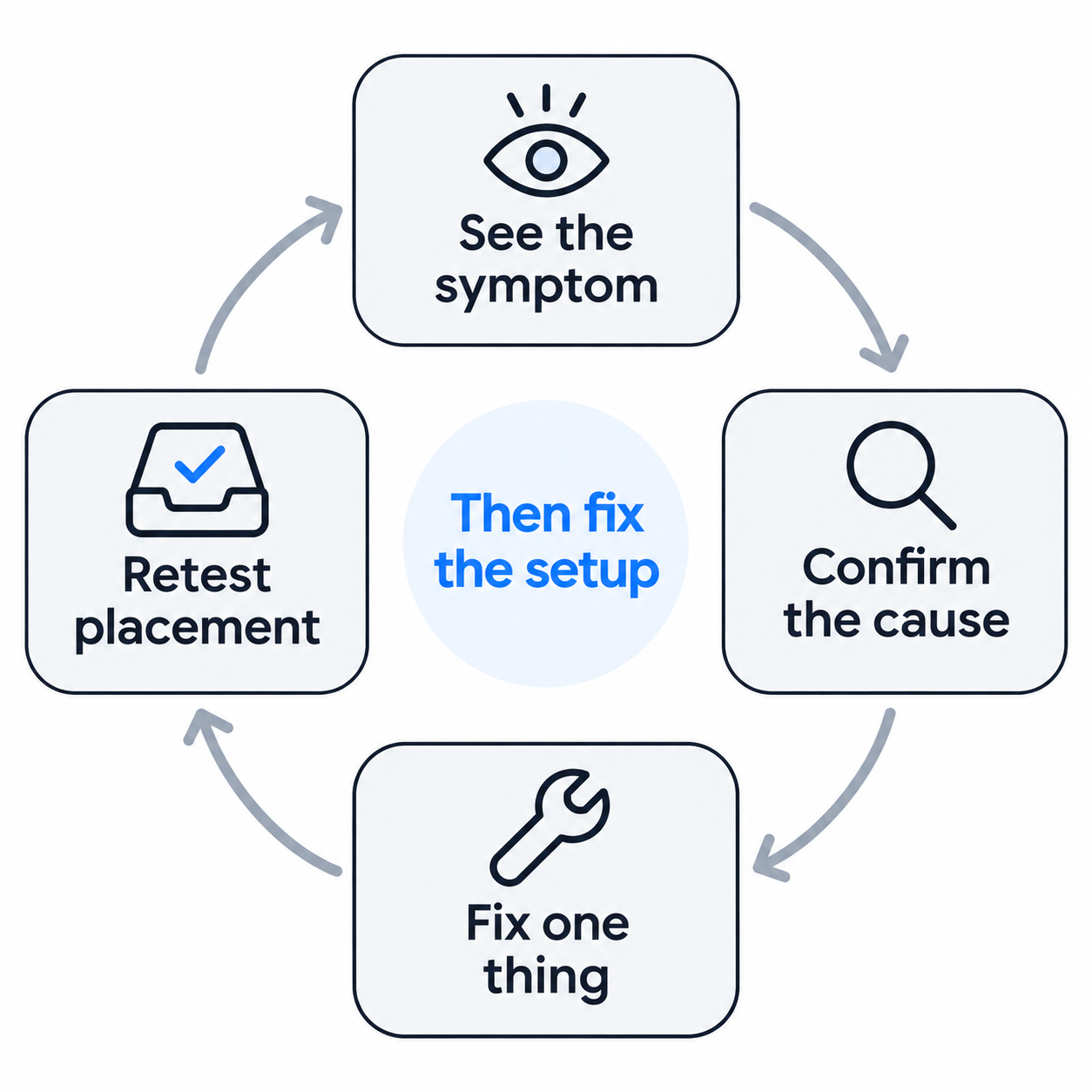
This guide is organized that way. Find the symptom you're seeing, confirm the cause, apply the fix. After that, I'll cover the infrastructure setup that prevents most of these issues in the first place.
Before diagnosing anything, it helps to know which of the two you're dealing with.
A delivery problem means the receiving server didn't accept the email: it bounced or was rejected, and your sending tool shows an error. A deliverability problem means the server accepted the email but filed it somewhere you didn't want, such as spam or promotions. Your sending tool can't see that; it shows the email as delivered.
Delivery problems announce themselves through bounce messages. Deliverability problems are quiet and usually show up first as a drop in replies. The symptoms below cover both.
Start with the symptom closest to what you're seeing, then confirm the cause before you change anything.
What you see: More bounce messages than usual, most with codes like 550 5.1.1 ("the email account that you tried to reach does not exist," in Gmail's wording).
Likely cause: List quality. Addresses that were never valid, people who left their company, or recycled addresses that now work as spam traps.
Fix: Pause the campaign once hard bounces pass about 2% of sends, verify the rest of the list, and remove anything that fails.
The free Salesforge email verifier handles a quick check.
Upstream, Leadsforge uses waterfall enrichment across multiple data providers so fewer addresses are wrong to begin with, and Salesforge's Bounce Shield blocks sends to addresses likely to bounce.
What you see: Permanent rejections such as 550 5.7.26 (unauthenticated mail rejected under the domain's DMARC policy), or temporary ones telling you SPF or DKIM isn't set up.
Likely cause: A missing or broken SPF, DKIM or DMARC record, or a DMARC alignment problem where the From domain doesn't match the domain that passed SPF or DKIM. This guide to fixing DKIM key alignment covers the most common version. When you run many domains, one edited or expired record is easy to miss.
Fix: Open a sent email's headers ("Show original" in Gmail) to see which check failed, then correct the record.
This guide on how to test SPF, DKIM and DMARC records walks through each one.
Google and Yahoo have required all three from bulk senders since February 2024, and Microsoft started sending non-compliant high-volume mail to Junk in May 2025.
What you see: Temporary failures such as 421 4.7.28, which Google describes as an unusual rate of email that has been temporarily rate-limited. Mail goes out eventually, but slowly.
Likely cause: Too much volume per mailbox or per domain, or a sudden spike, such as launching a large campaign on a quiet mailbox.
Fix: Lower daily volume per mailbox (I keep cold sends to 20 to 30 a day), spread sending across more mailboxes and domains, and ramp new campaigns gradually. Treat this code as an early warning; if ignored, it tends to become a block.
What you see: Placement tests show spam across Gmail, Outlook and other providers, and replies have nearly stopped.
Likely cause: One of three things: the domain or IP is on a blocklist, the domain's reputation is damaged from earlier campaigns, or the mailbox started cold sending before it was warmed.
Fix: Run the domain through a blocklist check first; this guide to IP blacklist issues and fixes covers what each listing means. If you're listed, request removal and pause cold sends on that domain. If you're not, check warmup: new mailboxes need about two weeks before cold sends, and warmup should keep running after launch.
These domain warming best practices cover the ramp. Rest a damaged domain and move volume to a healthy one while it recovers.
What you see: Inbox at Gmail but spam at Outlook, or the reverse.
Likely cause: That provider's view of your domain or sending pattern. Microsoft in particular filters new senders and sudden volume changes more strictly. Sending from one provider to recipients on another can also cost placement.
Fix: Lower volume to the affected provider, check Microsoft-specific signals if you're on dedicated IPs, and use ESP matching where you can: Google mailboxes for Google recipients, Microsoft mailboxes for Microsoft recipients. Primeforge provides real Google Workspace and Microsoft 365 mailboxes for exactly this.
This comparison of Gmail vs Outlook for cold email covers how the two filter differently.
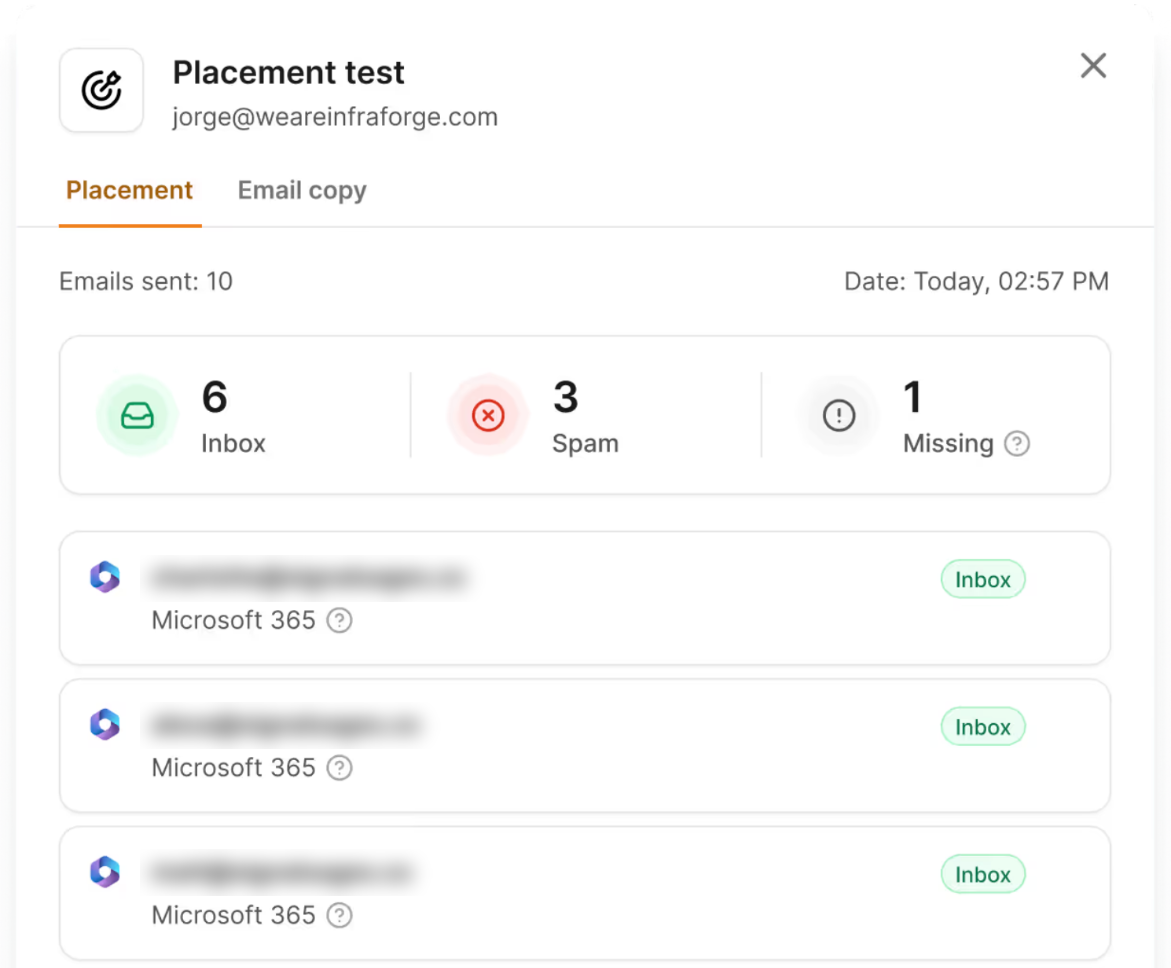
What you see: Gmail placement tests show promotions, not primary or spam.
Likely cause: Formatting that looks like marketing mail: HTML templates, images, several links, heavy signatures, or a tracking domain shared with many other senders.
Fix: Switch to plain text, cut links to one or none, simplify the signature, and use a custom tracking domain if you track clicks.
Here's how a custom tracking domain works, and these cold email content mistakes are the ones that most often trigger filters.
What you see: Placement or replies fall within a day or two of changing something.
Likely cause: The change itself. The usual suspects are a DNS edit that broke a record, a new tracking domain, a new template, a volume increase, or new mailboxes added straight into campaigns without warmup.
Fix: Roll back the most recent change and retest placement. Then reintroduce changes one at a time, testing after each.
What you see: No single bad day, just replies and placement drifting down.
Likely cause: Warmup was switched off after launch, spam complaints are slowly creeping up, or the list is getting stale. Google expects bulk senders to keep complaints below 0.3% in Postmaster Tools, and complaint creep is easy to miss.
Fix: Turn warmup back on and keep it running, refresh the list with newly verified contacts, and review copy for anything that invites complaints.
This guide to the 8 factors affecting sender reputation covers what to watch.
What you see: Placement tests come back mostly inbox, bounces are low, nothing is blocklisted, and replies are still weak.
Likely cause: Not deliverability. Targeting, timing, offer or copy.
Fix: Stop changing infrastructure and work on the list and the message.
For a cause-by-cause list of delivery problems once you've ruled this out, see Warmforge's guide to 12 email delivery issues in cold outreach.
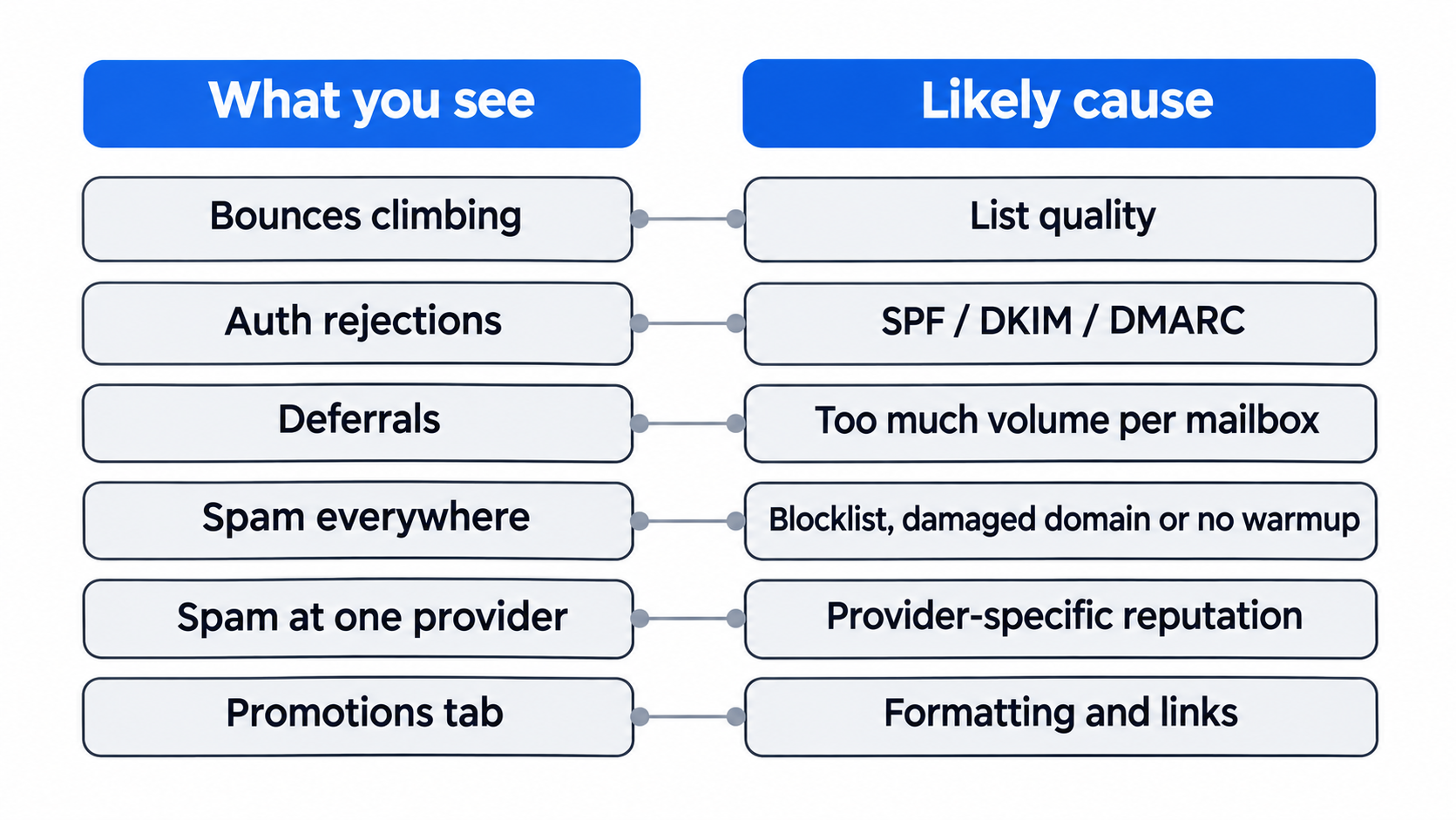
Here's the same diagnosis in one table you can keep open while troubleshooting.
When I trace symptoms back far enough, most of them start with how the sending infrastructure was set up.
If your company's main domain sends cold email, every deliverability problem spreads to invoices, support replies and everyday email. Keep outreach on secondary domains that redirect to your main site.
This comparison of secondary vs primary domains explains the risk, and this guide covers how to set up secondary domains.
Deferrals and spam placement often come from asking a handful of mailboxes to carry hundreds of emails a day. More mailboxes, spread across more domains, keep each one at a normal volume.
For high-volume setups, this guide on sending 10,000 cold emails at once shows how teams structure it.
With 5 domains, checking records by hand is easy. With 50, one domain with a broken DKIM key or a stale SPF include can hide for weeks.
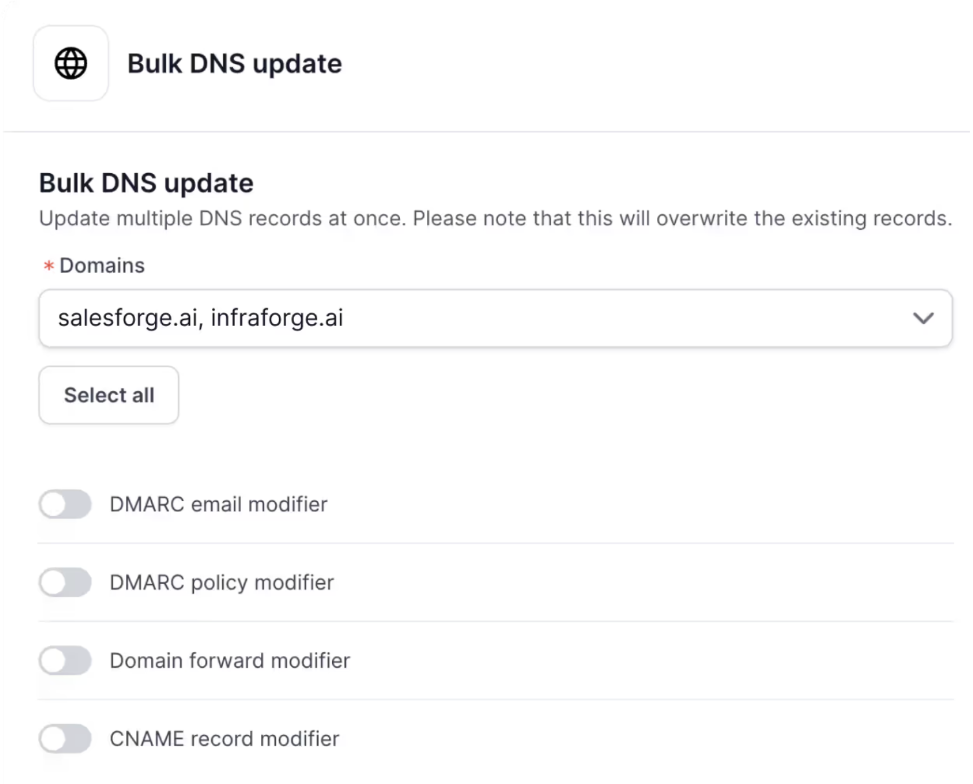
Records need to be set the same way on every domain and updated together, which is what automated DNS setup solves.
A secondary domain that doesn't lead anywhere looks suspicious to prospects who check it. A tracking domain shared with thousands of other senders carries their reputation into your links. Forward every domain to your main site and use your own tracking domain.
This comparison of domain masking vs domain forwarding explains the two options.
New mailboxes with no history and established mailboxes that stopped warming both drift toward spam. Keep warmup running for as long as a mailbox sends cold email.
This roundup of email warmup tools compares the options, and pre-warmed email accounts skip the initial wait.
Sending everything from one type of infrastructure means one policy change or one provider's filters can stall all your outreach. Mixing infrastructure types, and matching providers where you can, spreads that risk.
Most of the symptoms above are cheaper to catch in week one than in week six.
Domain-level trends matter as much as single tests.
This guide on how domain reputation affects cold email explains what to track over time, and these cold email KPIs show which numbers to log each week.
Mailforge handles the setup layer behind most deliverability issues, on shared infrastructure built for cold outreach.
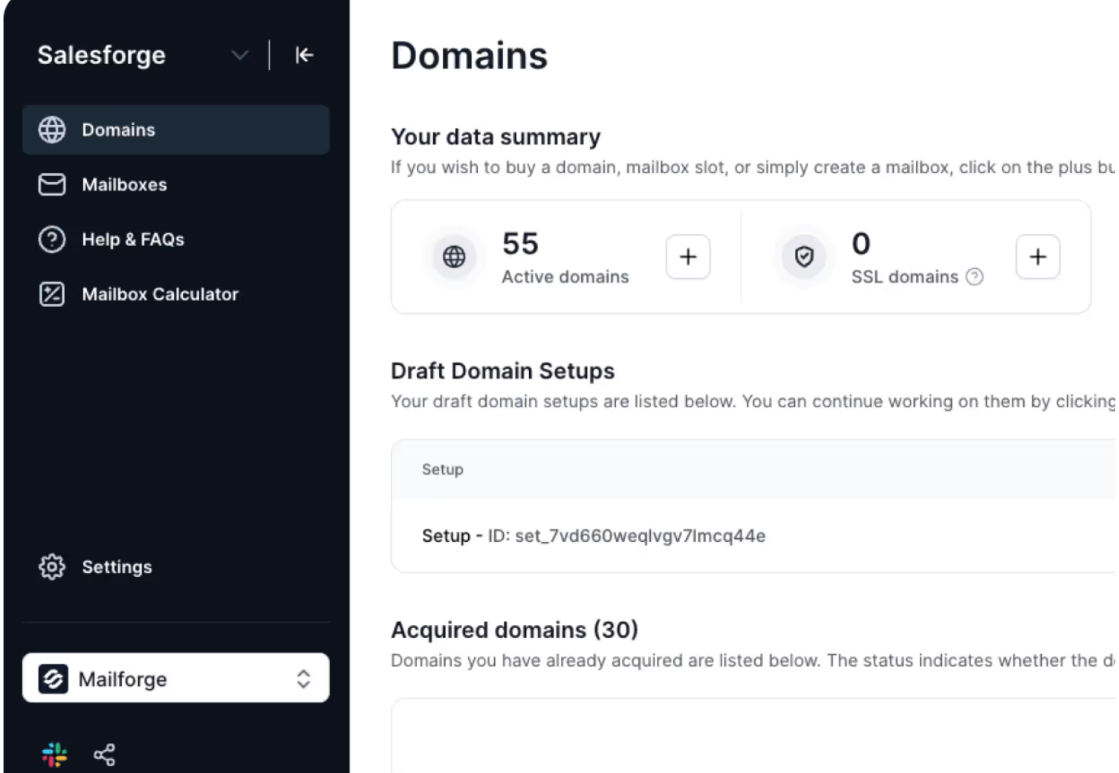
Pricing: $3 to $2 per mailbox per month billed annually, dropping at volume, with a minimum of 10 mailbox slots. Domains are priced separately by TLD, and SSL and domain masking costs $2 per domain per month. Setup takes about 5 minutes.
Mailforge is one of three infrastructure options under one login. Infraforge gives you dedicated IPs when you want full control over IP reputation, and Primeforge gives you Google and Microsoft mailboxes for ESP matching. Many teams run Mailforge for cost-efficient volume alongside one of the others.
Every mailbox still needs warmup, which Warmforge provides free with unlimited slots on every Salesforge plan. You can run outreach with your own team, hand it to Agent Frank, Salesforge's AI SDR, or bring in a certified Forge Expert agency.
Diagnose from the symptom, fix the cause, and then fix the setup that let it happen.
Bounces point to the list, authentication rejections point to DNS, deferrals point to volume, and spam placement points to reputation, warmup or a blocklist. Confirm the cause before changing anything, and change one thing at a time so you know what worked.
Most repeat issues come from infrastructure: the main domain, too few mailboxes, DNS drift, no forwarding, no warmup, one provider. Mailforge handles that layer for shared infrastructure, alongside Infraforge and Primeforge, with Warmforge keeping every mailbox warm. With Leadsforge, Salesforge and Agent Frank, the whole outbound stack sits under one roof.
For cold email, the most common are high bounce rates from unverified lists, broken or misaligned SPF, DKIM and DMARC records, too much volume per mailbox, unwarmed mailboxes, blocklistings, and marketing-style formatting that lands in promotions or spam.
Watch for rising bounces, rejection or deferral codes in your bounce log, and falling replies. Then run an inbox placement test from your real mailbox with your real copy. If copies land in spam or promotions, you have a deliverability issue even if your sending tool shows the emails as delivered.
A sudden change usually has a recent trigger: a DNS edit that broke a record, a new tracking domain or template, a volume increase, new mailboxes added without warmup, or a new blocklisting. Roll back the most recent change and retest.
Gmail is temporarily rate-limiting your mail because it detected an unusual rate of email from you. Lower volume per mailbox, spread sending across more mailboxes, and ramp gradually. Treat it as an early warning before a block.
I pause a campaign once hard bounces pass about 2% of sends. Verify the remaining list before sending again, since bounces damage sender reputation directly.
On a well-managed shared pool, most issues still come from your own setup and sending: lists, DNS, volume and warmup. Shared infrastructure designed for cold outreach, like Mailforge, manages the pool's reputation; dedicated IPs through Infraforge make sense once your sending is consistent and you want full control.
Configuration issues like a broken DNS record can be fixed the same day. Reputation issues take longer: a damaged domain often needs several weeks of rest and warmup, and blocklist removal depends on the list.
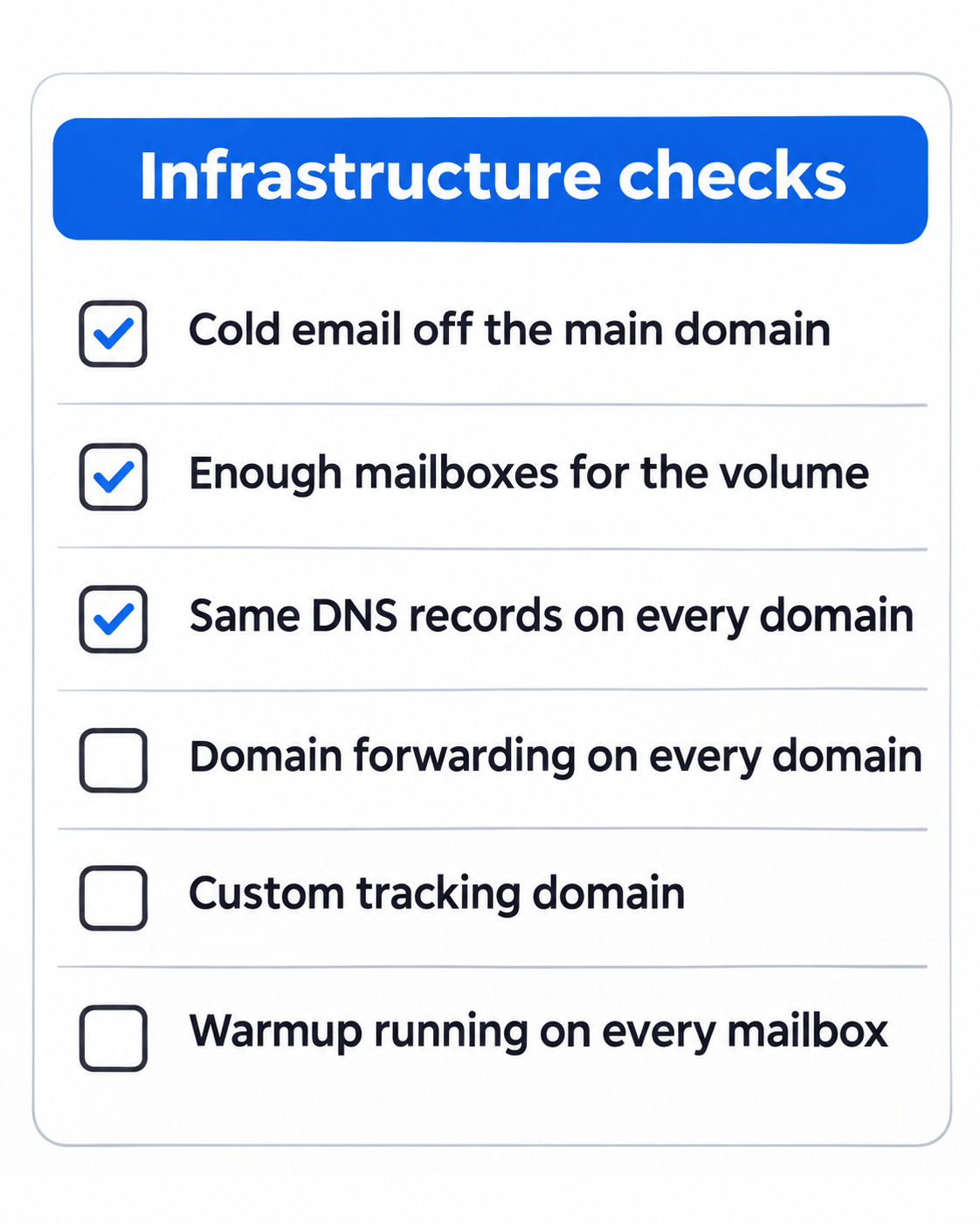
Keep cold email off your main domain, run enough mailboxes for your volume, keep DNS consistent across every domain, forward domains to your site, use a custom tracking domain, keep warmup running, and run a placement test and blocklist check every week.